Launching your SaaS brand
A login page that looks like a product launch, for agencies selling GoHighLevel as their own software.
Module 06 · Login pages
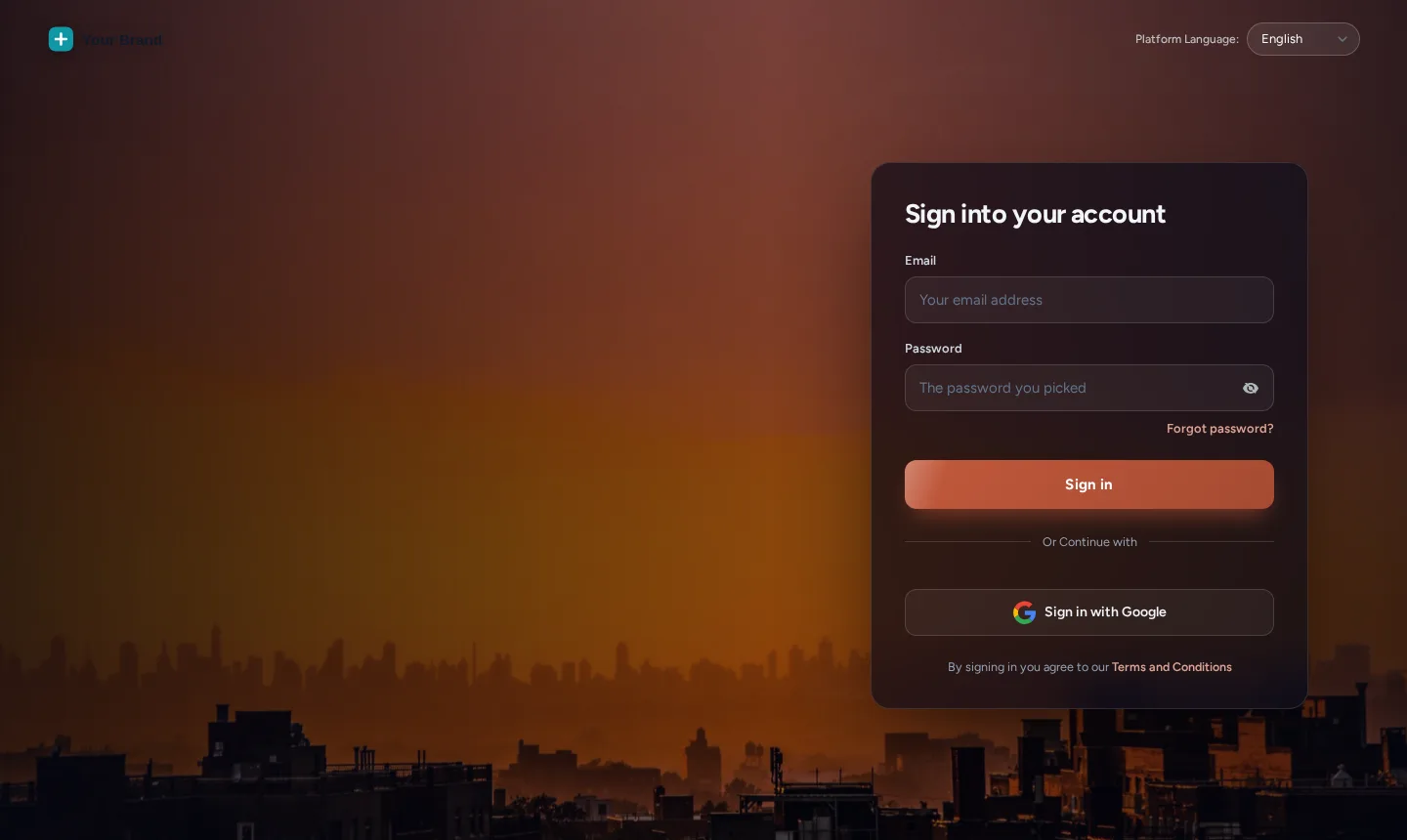
A GHL custom login page replaces the stock white-label sign-in with one of 16 animated designs: cinematic photo, gradient, glass and more, styled for sign-in, the two-factor code screen and password reset. It is installed with one CSS line in GoHighLevel’s white-label settings and it is in every package. It is the first screen a client sees, every single time.
In Brand Lite and Brand Pro and Brand Total · one-time payment, lifetime access · login emailed within minutes (max 24 hours)
Short answer
With a customizer account you pick one of 16 designs in the editor, then paste one CSS line into Agency Settings → Company → White Label → Custom CSS. The design applies to your white-label login domain.
The default white-label login is shared by thousands of agencies, and it is the first thing a client sees each morning. This module is how a white-label GHL customizer account removes it.
Fact sheet
Counts from the customizer catalogue · checked 2026-10-05
Try it live
This is the real customizer engine in a sandbox. Every option below is a template your account includes.
Problem → outcome
TodayYour client’s first impression of “your software” is a plain form on a grey page.
With the accountA designed, animated sign-in page in your colours, every time they log in.
TodayThe two-factor and reset screens drop back to the default look.
With the accountAll three screens share the design, so nothing breaks the brand mid-login.
TodayMatching the login to the app takes a developer and custom CSS.
With the accountEach design pairs with a theme, and the install is one line.
Screenshots
Our own captures of the templates in this module, on sample data.
Agency use cases
A login page that looks like a product launch, for agencies selling GoHighLevel as their own software.
Some designs rotate short lines on the sign-in screen: your promise, a tip, a reminder of support hours.
The code screen matches the sign-in, which makes the security step feel like part of your product.
Setting it up
Inside your customizer account, after the login email arrives. No code beyond the install line you paste once.
Preview each design on a copy of the real GoHighLevel login markup.
Switch between sign-in, two-factor and password reset in the preview.
The editor’s Get code screen shows the line with your key filled in.
Agency Settings → Company → White Label → Custom CSS. Future design changes go live without touching it.
Not installed yet? The two-minute install guide shows exactly where the line goes.
Which package
Every package includes it. Higher packages add the daily working screens and the widgets.
L01Tier 1Most agencies
Your colours, your logo and your login page across every screen your client opens.
$237one-time · USD
Login emailed within minutes (max 24 hours)
L02Tier 2
Brand Lite plus your own navigation, dashboard, pipeline board and contact actions.
$567one-time · USD
Login emailed within minutes (max 24 hours)
L03Tier 3
Brand Pro plus popups, notifications, calculators, floating widgets and an editor in your own name.
$1,167one-time · USD
Login emailed within minutes (max 24 hours)
One-time payment, lifetime access. No subscription, no monthly fee. You customize and install it yourself; nothing is designed or installed for you. All sales are final once the account has been created.
Questions
Same account
Themes and dark mode
GoHighLevel’s own sidebar and card styling is the single most recognisable trace of the platform underneath your brand.
27 complete themes →
Menus and navigation
The default left sidebar, with its familiar icons in their familiar order, is the first thing a GoHighLevel user spots.
8 mega-menu styles →
Dashboard designs
The default dashboard is the screen every reseller shares, and a client who has seen another agency’s account recognises it instantly.
18 dashboard designs →
Installing a fresh account for a client? The customizer restyles whatever is inside it, including our rebrandable white-label snapshots, so a snapshot install and a branded interface can land together.
GHL Customizer account
Brand Lite is $237 once. Login emailed within minutes (max 24 hours); you customize it in the live editor and paste one line into GoHighLevel.
Accessibility
Text size
Reduce motion switches off the WebGL dashboard, the particle field and every autoplaying element.