Review requests
A button that tags the contact so your review workflow sends the request, without leaving the record.
Module 05 · Contact actions
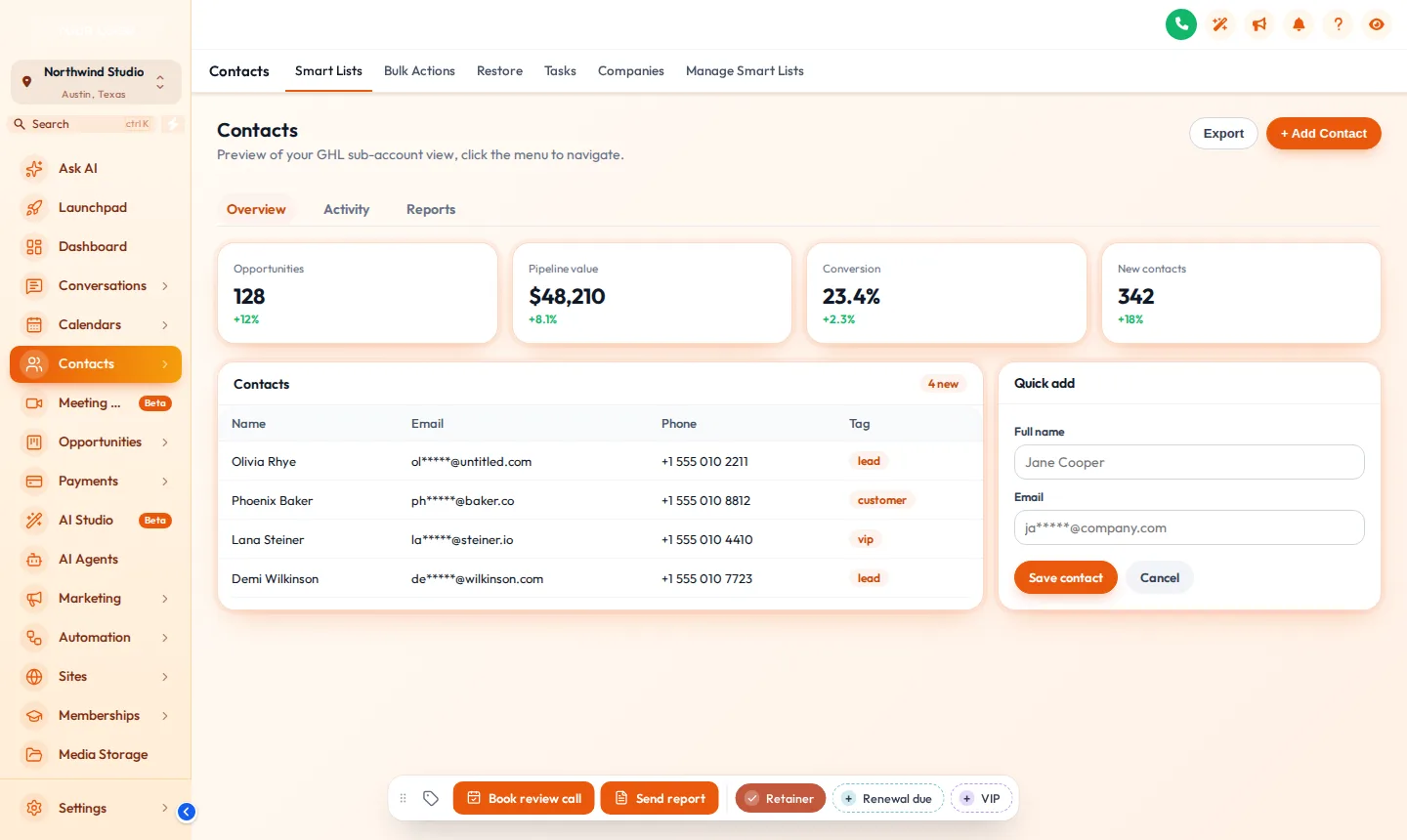
GHL contact quick actions put a bar of buttons on every contact record: quick tags that toggle with one tap, buttons that add a tag to start a workflow, and short forms that write straight into custom fields. It sits in any of 6 positions and can be dragged. It turns the jobs your client’s team repeats fifty times a day into single clicks, inside a product that carries your brand.
In Brand Pro and Brand Total · one-time payment, lifetime access · login emailed within minutes (max 24 hours)
Without it, every routine job on a contact is the platform’s own sequence of menus and modals.
One tap on a coloured chip, and the tag is on.
Short answer
A bar on the GoHighLevel contact page with one-tap tags, buttons that add or remove tags, and short forms that update custom fields. It makes repeated contact jobs a single click.
Without it, every routine job on a contact is the platform’s own sequence of menus and modals. This module is how a white-label GHL customizer account removes it.
Fact sheet
Counts from the customizer catalogue · checked 2026-10-05
Try it live
This is the real customizer engine in a sandbox. Every option below is a template your account includes.
Agency use cases
A button that tags the contact so your review workflow sends the request, without leaving the record.
Tag-triggered booking flows started from the contact, so nobody has to remember the trigger.
Short forms for budget, decision date and source mean the custom fields actually get filled.
Problem → outcome
TodayTagging a hot lead takes four clicks and a search box.
With the accountOne tap on a coloured chip, and the tag is on.
TodayStaff forget which tag starts the review request workflow.
With the accountA button labelled “Send review request” adds the right tag every time.
TodayDeal details live in custom fields nobody fills in.
With the accountAn “Update deal” button opens a three-field form that saves straight to them.
Setting it up
Inside your customizer account, after the login email arrives. No code beyond the install line you paste once.
List the tags your client’s team uses most and give each a colour.
Name each button after the job it does and set the tag it adds or removes.
Pick the custom fields it should update and the success message.
Choose where the bar sits on the contact page, then save.
Not installed yet? The two-minute install guide shows exactly where the line goes.
Screenshots
Our own captures of the templates in this module, on sample data.
Which package
It is in Brand Pro and Brand Total. Brand Lite covers themes, layout, dark mode and login pages only.
L01Tier 1
Your colours, your logo and your login page across every screen your client opens.
$237one-time · USD
Login emailed within minutes (max 24 hours)
L02Tier 2Most agencies
Brand Lite plus your own navigation, dashboard, pipeline board and contact actions.
$567one-time · USD
Login emailed within minutes (max 24 hours)
L03Tier 3
Brand Pro plus popups, notifications, calculators, floating widgets and an editor in your own name.
$1,167one-time · USD
Login emailed within minutes (max 24 hours)
One-time payment, lifetime access. No subscription, no monthly fee. You customize and install it yourself; nothing is designed or installed for you. All sales are final once the account has been created.
Questions
Same account
Opportunities boards
The opportunities board is where a client’s sales team spends its day, and the stock kanban is unmistakably the platform’s.
12 board designs →
Menus and navigation
The default left sidebar, with its familiar icons in their familiar order, is the first thing a GoHighLevel user spots.
8 mega-menu styles →
Notifications
Most social proof tools stamp their own name on every notification they show for you.
94 notification templates →
Installing a fresh account for a client? The customizer restyles whatever is inside it, including our rebrandable white-label snapshots, so a snapshot install and a branded interface can land together.
GHL Customizer account
Brand Pro is $567 once. Login emailed within minutes (max 24 hours); you customize it in the live editor and paste one line into GoHighLevel.
Accessibility
Text size
Reduce motion switches off the WebGL dashboard, the particle field and every autoplaying element.