A GHL custom sidebar menu, mega menus and a quick menu
A GHL custom sidebar menu changes where navigation sits and how it opens: left sidebar, right sidebar or top bar, 8 top-bar styles, 8 header styles, 8 mega-menu styles for sections with sub-pages, and a floating quick menu that follows the user across every page. Navigation is the part of an app people touch most, so it is the part they recognise first.
In Brand Pro and Brand Total · one-time payment, lifetime access · login emailed within minutes (max 24 hours)
8mega-menu styles
Short answer
Can you customize the GoHighLevel sidebar menu?
Yes. You can move it left or right, replace it with a top bar, change the header, add mega menus for sections with sub-pages and add a floating quick menu. Layout comes with every package; mega menus and the quick menu start at Brand Pro.
The default left sidebar, with its familiar icons in their familiar order, is the first thing a GoHighLevel user spots. This module is how a white-label GHL customizer account removes it.
Fact sheet
Layouts: left sidebar, right sidebar or top bar, plus 8 top-bar styles and 8 header styles.
8 mega-menu styles open sections with sub-pages, such as Payments and Sites, as panels.
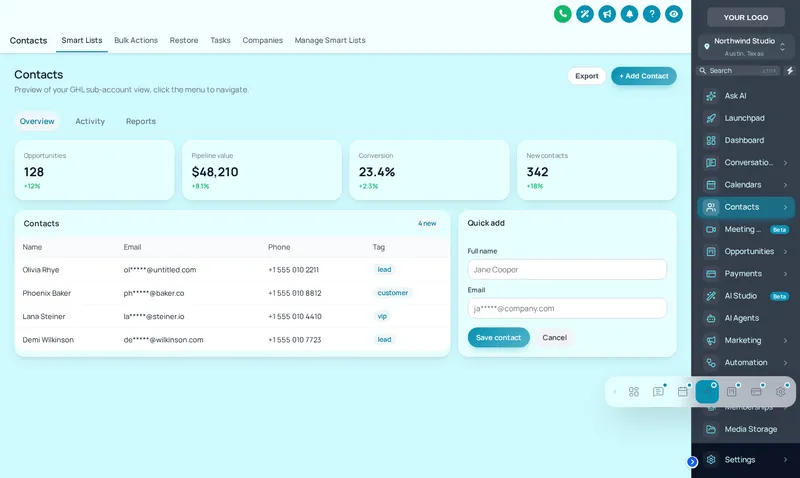
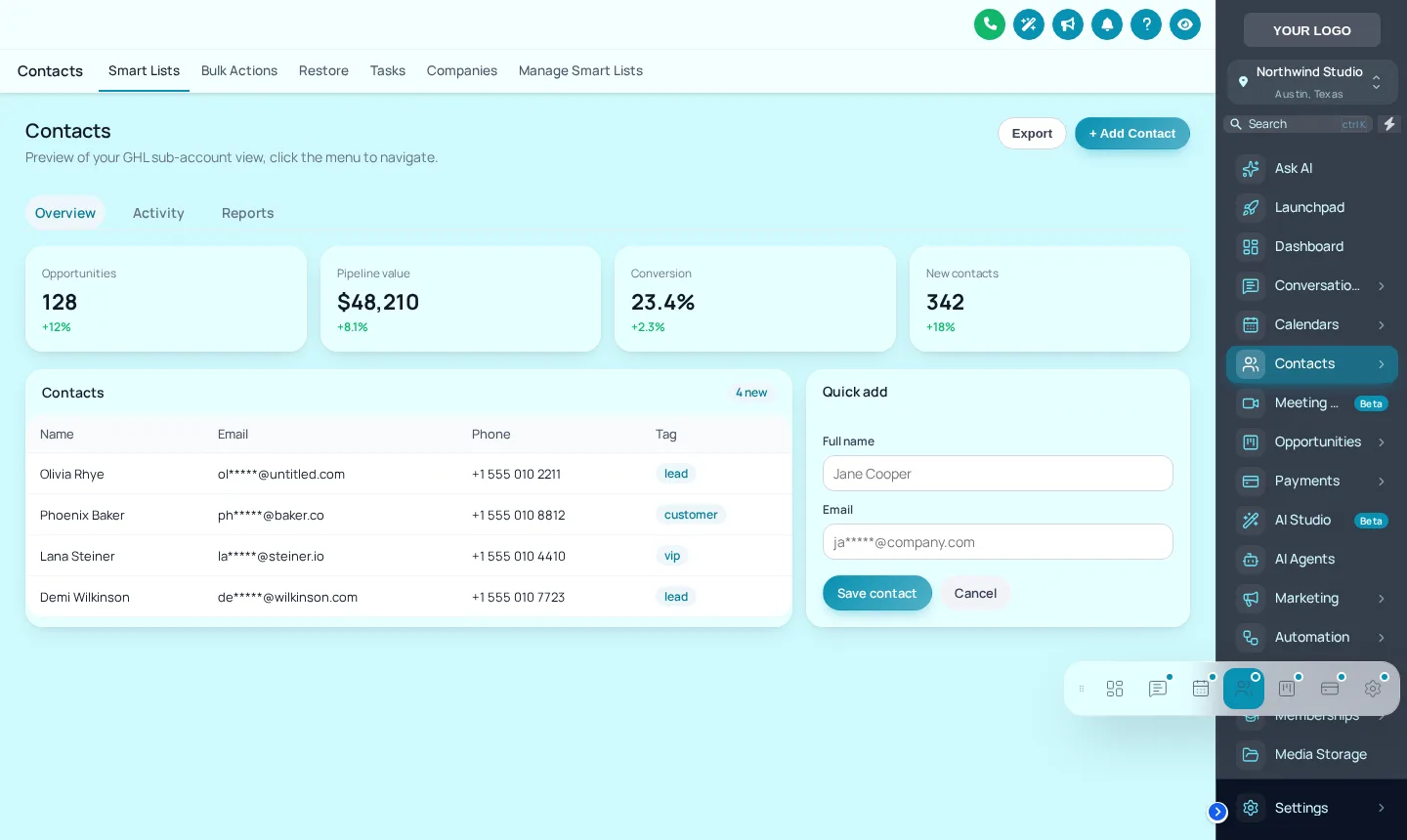
Floating quick menu in 3 layouts and 8 designs; users can drag it anywhere.
Sidebar or top-bar layout is in every package; mega menus, the floating menu and announcements start at Brand Pro.
Counts from the customizer catalogue · checked 2026-10-05
Try it live
Try menus and navigation live, before you buy
This is the real customizer engine in a sandbox. Every option below is a template your account includes.
Live preview · loading the engine
Navigation on a sample account
01Layout
02Top bar style
03Sub-menus
04Header
05Quick menu
app.youragency.com/v2/location/payments
ShowingLeft sidebar
Pick a layout, then use the menu inside the preview. With a mega style chosen, open Sites or Payments. The quick menu can be dragged by its grip.
Problem → outcome
What your client stops seeing: menus and navigation
01
TodayClients hunt through a long sidebar for the three screens they use.
With the accountA floating quick menu puts those screens one tap away on every page.
02
TodaySections with sub-pages are buried behind clicks that feel like a different app.
With the accountMega menus open them as a single panel in your styling.
03
TodayThe header looks like every other white-label account.
With the accountHeader styles, from soft to gradient to glass, change the top of every screen.
Which package
Included from Brand Pro
It is in Brand Pro and Brand Total. Brand Lite covers themes, layout, dark mode and login pages only.
L01Tier 1
Brand Lite
Your colours, your logo and your login page across every screen your client opens.
One-time payment, lifetime access. No subscription, no monthly fee. You customize and install it yourself; nothing is designed or installed for you. All sales are final once the account has been created.
Agency use cases
Where agencies use menus and navigation
Fewer support questions
A quick menu with the client’s everyday screens answers “where do I find…” before it is asked.
Announcements
From Brand Pro, post an announcement across the app: a new feature, a maintenance window, a training call.
Sub-account self-service
Also from Brand Pro: let sub-account users adjust their own view without asking your team.
Screenshots
Menus and navigation, captured from the live editor
Our own captures of the templates in this module, on sample data.
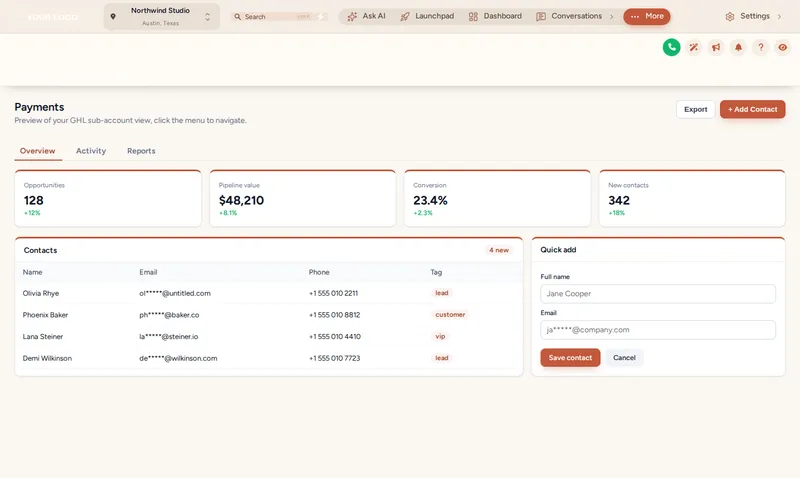
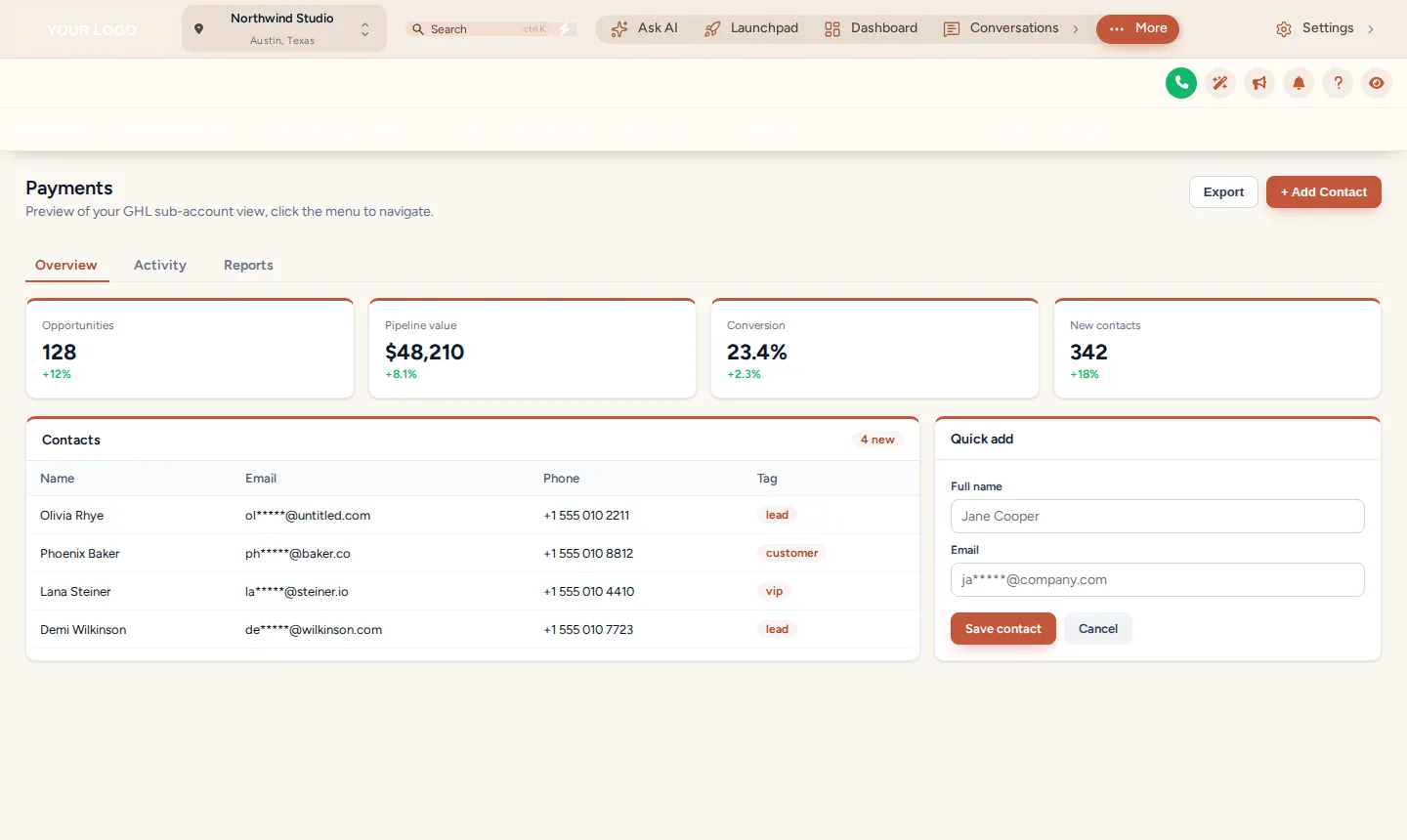
Top-bar navigation, segmented style, with the brand header style on top.The floating quick menu as a glass dock: the everyday screens on every page.
Setting it up
How to set up menus and navigation
Inside your customizer account, after the login email arrives. No code beyond the install line you paste once.
01
Choose the layout
Sidebar left or right, or a top bar with one of its styles.
02
Set sub-menu behaviour
Keep a normal list or choose a mega-menu style for sections with sub-pages.
03
Add the quick menu
Pick the screens it holds, its layout and its design.
04
Preview and publish
Click around the sample account in the editor, then save to go live.
Yes. You can move it left or right, replace it with a top bar, change the header, add mega menus for sections with sub-pages and add a floating quick menu. Layout comes with every package; mega menus and the quick menu start at Brand Pro.
It opens a section with sub-pages, such as Payments or Sites, as a single panel instead of a nested list. There are 8 styles, from columns to tabs to a wide panel.
It is a small menu that floats over every page with the screens you choose. Users open it from a bubble, dock or rail and can drag it anywhere.
No. Permissions still come from GoHighLevel. The customizer changes how navigation looks and behaves, not what a user is allowed to open.
Yes. Sidebar or top-bar layout is part of Brand Lite.
A message you publish across the app, for example a new feature or a planned outage. Announcements are included from Brand Pro.
Yes. The layouts follow GoHighLevel’s own responsive behaviour, and the quick menu stays reachable on small screens.
You control which screens appear in the quick menu and how navigation is presented. Core GoHighLevel menu permissions remain in GoHighLevel itself.
Installing a fresh account for a client? The customizer restyles whatever is inside it, including our rebrandable white-label snapshots, so a snapshot install and a branded interface can land together.
GHL Customizer account
Take the platform’s look off your menus and navigation.
Brand Pro is $567 once. Login emailed within minutes (max 24 hours); you customize it in the live editor and paste one line into GoHighLevel.
GHL Customizer account: the login is emailed to the checkout address within minutes (max 24 hours). You customize and install it yourself; one account per order. All sales are final once the account has been created.
All sales are final. inside 24 business hours of purchase confirmation you get a snapshot link and a PDF with the full installation instructions.
Accessibility
Text size
Reduce motion switches off the WebGL dashboard, the particle field and every autoplaying element.
Cookies, briefly
We use essential cookies to make the site work. Analytics and marketing cookies are optional and load only if you say yes. Your choice is stored on this device.